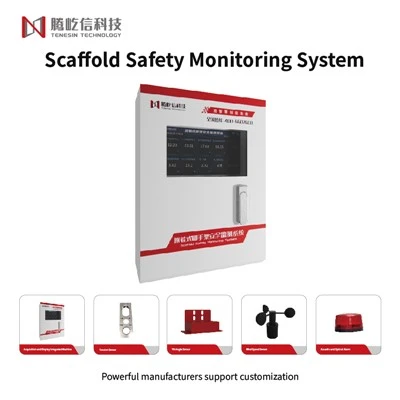
Hey there! As a supplier of the Online Dust Monitoring System, I'm super stoked to walk you through the process of installing one. Whether you're running a construction site, a factory, or just want to keep tabs on the air quality around your place, an Online Dust Monitoring System can be a game - changer.
Why You Need an Online Dust Monitoring System
Before we jump into the installation, let's quickly chat about why you need this system. Dust can be a real pain in the neck, especially in industrial and construction areas. It can cause all sorts of health problems for workers, like respiratory issues and even long - term lung diseases. Plus, it can also mess up the environment around your site. With an Online Dust Monitoring System, you can keep a close eye on the dust levels in real - time. This way, you can take action right away if the dust levels get too high, like shutting down certain equipment or increasing ventilation.
What You'll Need
First things first, let's talk about what you'll need for the installation.
Equipment
- Online Dust Monitoring System Unit: This is the main piece of the puzzle. It comes with sensors that can detect different types of dust particles in the air.
- Mounting Bracket: You'll need this to attach the monitoring system to a stable surface.
- Power Supply: Most systems can be powered by either AC or DC power. Make sure you have the right power source available at the installation site.
- Communication Cables: These are used to connect the monitoring system to your network or a data - logging device.
Tools
- Screwdriver: You'll use this to attach the mounting bracket and the monitoring system unit.
- Drill: If you need to make holes for the mounting bracket, a drill will come in handy.
- Wire Strippers: These are essential for connecting the communication cables.
Step - by - Step Installation Guide
Step 1: Choose the Right Location
The first step is to pick the perfect spot for your Online Dust Monitoring System. You want to place it in an area where it can accurately measure the dust levels. Avoid areas that are too close to sources of direct airflow, like fans or vents, as this can affect the readings. Also, make sure it's not in a spot where it can be easily damaged by people or equipment. A good height is usually around 1.5 to 2 meters above the ground.
Step 2: Install the Mounting Bracket
Once you've found the right location, it's time to install the mounting bracket. Use the drill to make holes in the surface where you want to attach the bracket. Then, use the screwdriver to secure the bracket in place. Make sure it's level and firmly attached.
Step 3: Attach the Monitoring System Unit
After the mounting bracket is installed, carefully attach the Online Dust Monitoring System unit to the bracket. Use the screwdriver to tighten the screws and make sure the unit is securely in place.
Step 4: Connect the Power Supply
Next, it's time to connect the power supply. Check the user manual to see what type of power your system requires. If it's an AC power supply, plug it into a nearby electrical outlet. If it's a DC power supply, connect the appropriate cables.
Step 5: Connect the Communication Cables
Now, connect the communication cables to the monitoring system unit. Use the wire strippers to strip the ends of the cables and then connect them to the corresponding ports on the unit. Make sure the connections are tight and secure.
Step 6: Configure the System
Once everything is connected, you'll need to configure the Online Dust Monitoring System. This usually involves setting up the communication settings, such as the IP address and the data - logging interval. You can do this using a computer or a mobile device, depending on the system's capabilities. Follow the instructions in the user manual to complete the configuration process.


Step 7: Test the System
After the configuration is done, it's time to test the system. Turn on the power and wait for the system to boot up. Check the display or the connected device to see if the system is reading the dust levels correctly. If there are any issues, double - check all the connections and the configuration settings.
Additional Considerations
- Calibration: Regular calibration is crucial to ensure the accuracy of your Online Dust Monitoring System. Most systems need to be calibrated at least once a year. You can either do it yourself if you have the right tools and knowledge or hire a professional calibration service.
- Maintenance: Keep the system clean and free from dust and debris. Check the sensors regularly for any signs of damage or wear. Replace any faulty parts as soon as possible.
Related Systems
If you're also concerned about other environmental factors, like hazardous gases, you might want to consider our Hazardous Gas Monitoring System. It works in a similar way to the Online Dust Monitoring System but is designed to detect different types of hazardous gases in the air.
Wrapping Up
Installing an Online Dust Monitoring System might seem a bit daunting at first, but if you follow these steps, you'll have it up and running in no time. It's a great investment for keeping your workplace safe and the environment clean.
If you're interested in purchasing an Online Dust Monitoring System or have any questions about the installation process, don't hesitate to reach out. We're here to help you every step of the way. Whether you're a small business or a large corporation, we've got the right solution for you. Let's work together to improve the air quality and safety at your site.
References
- Manufacturer's user manual for the Online Dust Monitoring System
- Industry standards for dust monitoring and installation